
Workforce operations
Hospital Payroll Digitization: Questions Before You Commit
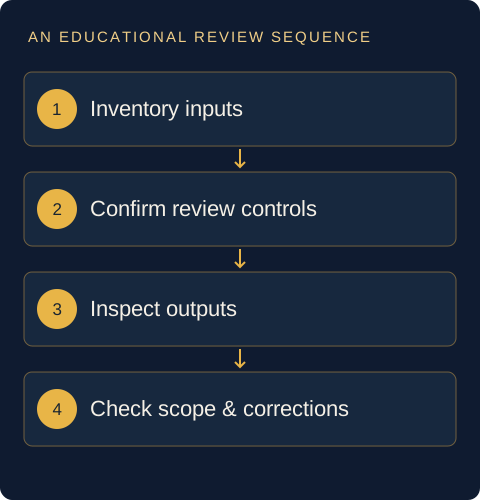
Begin payroll digitization by documenting inputs, review responsibilities and required outputs. Confirm which rules apply to your institution and who checks changes before release. This guide provides questions for evaluation; it does not state tax rates, prescribe legal obligations or promise that software alone ensures compliance.
Inventory payroll inputs and ownership
List the information required for each payroll cycle and identify the owner of each input. Distinguish recurring information from a change that requires approval. Decide how the preparer knows whether an input is final, provisional or missing before it enters a calculation or report.
The US GAO’s 2025 Green Book highlights preventive control activities and responsibility across management levels. These are useful control-design ideas; the publication does not establish Indian payroll duties, rates or filing requirements. [source]
Clarify attendance and approved-change handoffs
Agree which attendance and employment changes are ready for payroll use and who can authorise them. Keep a pending attendance exception separate from a reviewed adjustment. Define a practical handoff that identifies the period, approved value, source and responsible reviewer. A report arriving by email is not, by itself, an approval decision.
Define checks and authorization
Identify who prepares, checks and authorises each relevant output. Where different people perform these roles, make the handoff explicit; where staffing makes separation difficult, ask the responsible finance owner what compensating review is appropriate. This is a planning question, not a universal staffing prescription.
Agree what prevents a changed input from bypassing review. A change register can record the previous value, requested value, reason and approval reference. Its purpose is to make the decision explainable; it is not proof that a vendor supplies an immutable audit trail.
Confirm supported outputs and interfaces
Make an output inventory before the demo. Specify the audience and purpose of each required report, payment-related file or reconciliation view, then ask which are supported. Request the actual format and a fictional sample. Identify any manual work needed after export and who owns it.
For each interface, distinguish a file export from an automated connection. Ask what happens when a transfer fails, a file is rejected or a record appears twice. Do not infer an integration merely because two products mention attendance or payroll.
Distinguish calculations from statutory filing
Verify jurisdiction-specific requirements
Separate three questions: what the software can calculate, what the institution must do, and what evidence demonstrates that the obligation was met. Ask a qualified payroll, tax or legal reviewer to identify the applicable requirements and effective dates. Do not copy another institution’s settings without that review.
This guide deliberately states no PF, ESI, TDS, wage or retention rate and no filing deadline. A successful demonstration or an attractive compliance dashboard cannot substitute for verification of the institution’s obligations and the supported product scope.
Plan reconciliation, correction and record handling
Before moving from evaluation to use, agree how inputs will be reconciled with outputs, how differences will be investigated and who can authorise corrections. Decide what evidence is retained and how authorised staff can retrieve it. Avoid collecting actual employee bank, salary or tax data for a public demo.
- Which functions and jurisdictions are explicitly supported?
- Who approves a rule change and its effective period?
- How are exceptions reported without hiding unresolved inputs?
- Which checks remain the institution’s responsibility?
Use GanpatrAI’s Payroll & Compliance page to arrange a scope-led demonstration, and its attendance review illustration to discuss the upstream boundary. The employee-lifecycle guide helps identify the other teams involved. No automatic compliance guarantee is made.
Sources and scope
The cited publications support the specific statements linked above. Checklists and fictional examples are editorial proposals for review, not requirements imposed by these sources.
- US GAO — Standards for Internal Control in the Federal Government, GAO-25-107721, 2025
General reference on preventive controls, management responsibility and documenting risk/change; not Indian payroll law.